
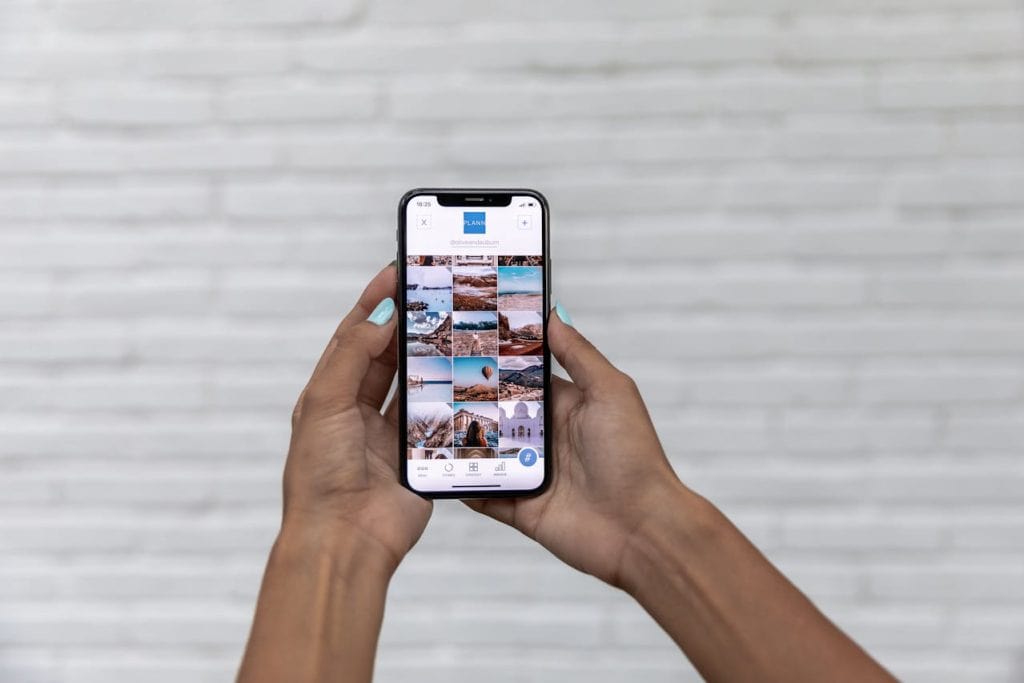
You came home from an incredible multi-country trip, and now your camera roll looks like a digital disaster zone. Thousands of photos from Italy, Greece, and Portugal are all jumbled together, and the thought of organizing them makes you want to close the app forever. Sound familiar? You’re not alone, and there’s a way out of this photo chaos that won’t take over your entire weekend.
Why Your Camera Roll Became a Mess
Here’s what probably happened: you were having the time of your life traveling between countries, snapping everything from sunset views to street food close-ups. You took duplicates “just in case,” grabbed screenshots of maps and reservations, and maybe even photographed a few restaurant menus.
Photos add up quickly on modern smartphones. The average smartphone user now stores around 2,000 photos on their device. But frequent travelers? That number skyrockets fast. A two-week trip can easily add 500–1,000 new images to your library, and when you’re visiting multiple countries, keeping track of where each photo was taken becomes nearly impossible.
The Delete-First Approach
Before you organize anything, you need to delete. This sounds painful, but it’s actually freeing. Start with the obvious junk. Blurry shots, accidental pocket photos, those seven nearly identical pictures of the same gelato cone.
Quick deletion checklist:
| Delete Immediately | Keep For Now |
| Blurry or out-of-focus shots | Clear, well-composed images |
| Duplicate “safety” shots | The one best version |
| Screenshots of directions/reservations | Screenshots you’ll actually reference |
| Accidental pocket photos | Candid moments that tell a story |
| Menu photos you’ll never look at | Food shots worth sharing |
Be ruthless. If a photo doesn’t spark a memory or make you feel something, let it go. You’ll thank yourself later when you’re actually scrolling through images you love instead of wading through digital clutter.
Turn Your Favorites Into Something You’ll Actually See
Most of them will sit on your phone forever, unseen after that initial scroll through. Research shows that over half of smartphone users feel overwhelmed trying to find specific photos in their camera roll. The solution is to get your favorites off your phone and into the physical world. There are plenty of ways to do this, including photo books, canvas prints, and gallery walls.
One option that works especially well for travel photos is creating a custom calendar. A Mixbook photo calendar lets you feature a different travel memory each month, so you’re actually looking at those Portugal sunset shots in February instead of forgetting they exist. Plus, it solves the “I have too many favorites” problem by giving you twelve slots to fill.
Create a “Greatest Hits” Album
Once you’ve organized, backed up, and edited, create a highlight album for each trip. Whether you’ve just returned from a group vacation or a solo travel adventure, this becomes your go-to when someone asks to see pictures. Nobody wants to scroll through 800 photos with you – but a curated collection of 30-50 best shots? That’s actually enjoyable for everyone involved.
Think of this album as the story of your trip. Include establishing shots of each destination, candid moments, food highlights, and a few detail shots that capture the vibe. This is also the album you’ll pull from when you want to print photos or create gifts.
The 3-2-1 Backup Rule
Nothing ruins travel memories faster than a crashed hard drive or lost phone. Professional photographers call the 3-2-1 backup method:
- 3 copies of your photos total
- 2 different formats (like phone + external hard drive)
- 1 copy stored offsite (cloud storage counts)
For most travelers, this means keeping photos on your phone, backing them up to Google Photos or iCloud, and storing a copy on an external hard drive at home. It sounds like overkill until the day your laptop dies. Just like you’d pack essential items for a road trip, having backup storage should be part of your travel routine. It’s a small habit that can save you a lot of stress later.
Building a Folder System That Works
Once you’ve trimmed the excess, it’s time to organize. When it comes to organizing your pictures, the best system for multi-country trips uses location as your primary sorting method rather than dates. Why? Because when you want to find that photo from your Barcelona tapas crawl three years from now, you’ll think Barcelona, not March 15th.
Create a main folder for each trip, then subfolders for each country or city. Inside those, you can break things down further by neighborhood or activity if you took a lot of photos. Your structure might look something like this: Europe 2024 > Spain > Barcelona > Gothic Quarter.
This approach works because it mirrors how your brain naturally recalls travel memories. You remember places before you remember specific dates.
Editing Without Losing Your Weekend
You don’t need to professionally edit every single photo. Instead, pick your absolute favorites – maybe 20-30 from a two-week trip, and give those some attention.
Focus your editing energy on:
- Straightening crooked horizons
- Brightening underexposed shots
- Cropping out distractions at the edges
- Adjusting color temperature for accuracy
For everything else, most photo apps now offer batch editing. You can apply the same filter or adjustment to multiple photos at once, giving your collection a cohesive look without spending hours on individual images.
FAQs
How many photos should I keep from a vacation?
Aim to keep around 10-15% of what you originally shot. For a trip where you took 500 photos, that means narrowing down to 50-75 keepers. This forces you to be selective while still preserving plenty of memories.
What’s the best way to organize photos from multiple countries?
Organize by location first, then by date within each location folder. Create a main trip folder, then subfolders for each country or major city. This matches how you’ll naturally search for photos later.
Should I delete photos while traveling or wait until I get home?
Delete obvious duds during your trip – it takes just a few minutes before bed each night. This prevents the overwhelm of facing thousands of unorganized photos when you return and frees up storage space.
How do I back up travel photos while abroad?
Use automatic cloud backup through Google Photos, iCloud, or Dropbox. Make sure this is enabled before you leave, and connect to WiFi each evening to let uploads complete. Consider bringing a portable hard drive for longer trips.
What should I do with my best travel photos?
Get them off your phone! Print favorites for your walls, create a photo book for your coffee table, or turn them into a calendar you’ll see every day. Physical formats ensure your memories don’t get buried in a forgotten camera roll.
Key Takeaways
- Delete ruthlessly before organizing – blurry shots and duplicates are just clutter
- Use location-based folders rather than dates for easier searching later
- Follow the 3-2-1 backup rule to protect your memories from tech disasters
- Create a “greatest hits” album of your top 30-50 photos for sharing
- Turn your favorites into physical formats so you actually see and enjoy them
- Spend editing time only on your absolute best shots

About Peter C.
Peter is a digital nomad who largely writes from Asia, Europe, and South America. Always following the "vibe," he sets up shop in hostels and AirBNB's and continues to entertain us with wild stories from life abroad. Ask him anything in our community forum. Make sure to download the AllWorld Travel Hacks FREE ebook.


